Launch special: Save $30 - Only $49 this week

The Web Designer's Project HQ

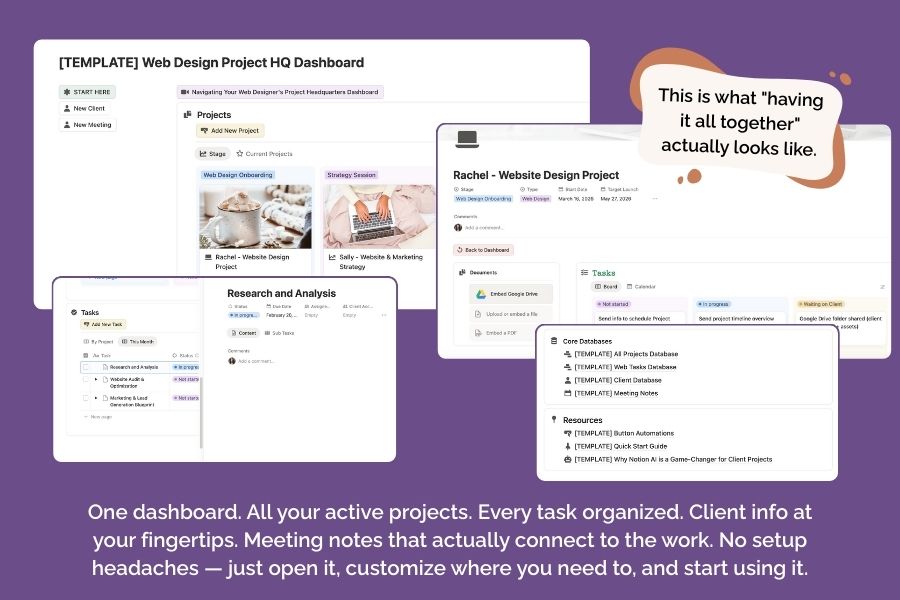
Your centralized headquarters for managing client projects and tasks in one clean, organized workspace. 

Get The Project HQ Template

You're Already Managing Projects, But It Could Be So Much Easier

I've got you!
This template is built specifically for web designers who need to track multiple projects, manage detailed tasks, and maintain clarity throughout the client journey.
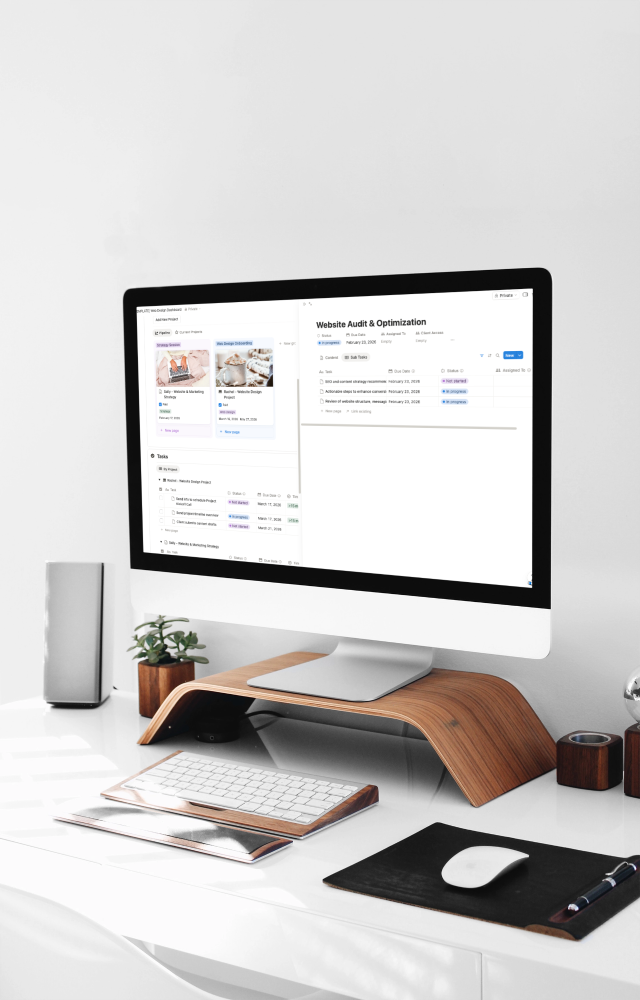
client web design project dashboard mockup

Maybe you’re tracking projects in Moxie, or using a different CRM, or juggling spreadsheets and docs. You have a system—it just feels scattered.

Here’s what changes when everything lives in one organized Notion workspace:

  • No more jumping between platforms to see the full picture of a project
  • Your team (or future team) can see exactly what’s happening without asking you a dozen questions
  • Meeting notes, tasks, and project details are all connected—not floating in separate tools
  • Client history is right there when you need it, not buried in email threads
  • You can actually see your workload across all projects at a glance
  • Onboarding a VA or contractor takes minutes, not days of explaining your system

The result? Smoother project delivery, easier collaboration, and way less mental load trying to remember where you put that one thing.

Why This Template vs. Building From Scratch

  • Save 10+ hours of setup time — All the databases, properties, relations, and views are already configured and working together
  • Learn by example — Sample projects show you exactly how to structure your client work, so you’re not starting with a blank slate
  • No Notion expertise required — The relational architecture is already built. You just duplicate, customize, and go
  • Team-ready from day one — Collaboration features and clear structure mean anyone can jump in and understand what’s happening
  • Designed for web designers — 12 project stages that match the actual web design process, not generic project management
  • Flexible without being overwhelming — Pre-configured views you can use as-is or customize to match how you think

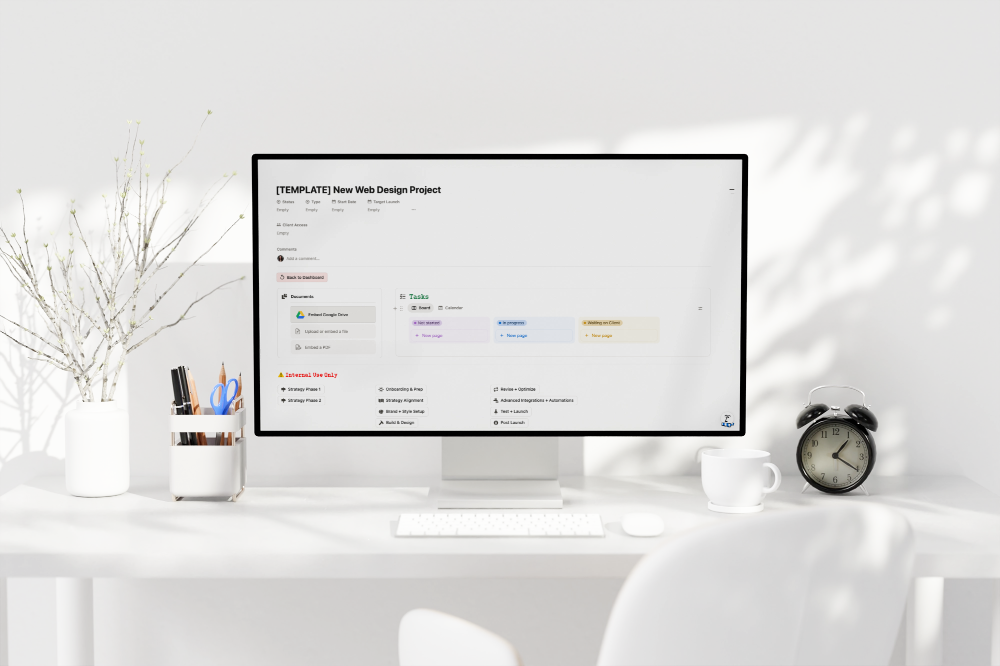
web design project template mockup

The Complete Project Management System

Get The Web Designer's Project HQ - Launch price $49!
Buy Now

What's Inside The Web Designer's Project HQ?

web designer's project hq showcase
  • Projects Database

    Track your full client pipeline from discovery through launch with 12 pre-built status stages, multiple views, and ready-to-use service packages.
    • Full project pipeline with 12 status stages from Discovery to Launch
    • Board view organized by status for visual pipeline management
    • Filtered views for Strategy-only and Web Design projects
    • Custom properties: Client Access, Start/Target dates and relations to tasks/clients/meetings
    • Includes 2 sample projects (Rachel & Sally) with realistic data
    • Default page template for consistent project setup
  • Tasks Database

    Manage all project tasks with time estimates, due dates, and multiple view options, all connected to your projects for seamless workflow.
    • Relational connection to Projects database
    • Status workflow (Not started → In progress → Waiting on Client → Done)
    • Time estimates, due dates, and assignment tracking
    • Parent/sub-item relationships for task hierarchy
    • Multiple views: Table, Kanban board, and Calendar
    • Client Access property for shared task visibility
  • Client Database

    Keep all your client information organized in one place with connections to their projects and meetings for complete relationship history.
    • Centralized client information management
    • Relational connections to projects and meetings
    • Track client details, contact info, and project history
  • Meeting Notes Database

    Document every client conversation, discovery call, and check-in with full context by linking notes to specific projects and clients.
    • Document discovery calls, check-ins, and client meetings
    • Connected to both projects and clients for complete context
    • Keep all client conversations organized in one place
  • Multiple View Options

    See your work your way—pre-configured pipeline boards, calendar views, timeline tracking, and filtered tables designed for how web designers actually work.
    • Pipeline board view for visual project management
    • Calendar view to see deadlines and milestones at a glance
    • Timeline view for project scheduling and dependencies
    • Filtered table views for focused work (active projects, by client, by status)
    • Kanban board for task management
    • Customizable layouts that adapt to your workflow
  • Resource Pages

    Get up and running fast with step-by-step guides, automation buttons, CRM integration instructions, and AI workflow tips.
    • Button Automations: Pre-built automation buttons for common workflows
    • Quick Start Guide: Step-by-step setup instructions to get you up and running fast
    • Why Notion AI is a Game-Changer: Discover how Notion AI can save you hours each week on client communication, task planning, and project documentation (with guidance on how to set it up)
    • CRM Integration Ready: Built to connect with Moxie CRM (or other project management tools) via automation platforms like n8n, Zapier, or Make – automatically create Notion projects when clients book in your CRM
    • All Databases backend page: Clean organizational structure
  • Perfect for Moxie Users (and Other CRM Platforms)

    Moxie handles the business. Notion handles the work.
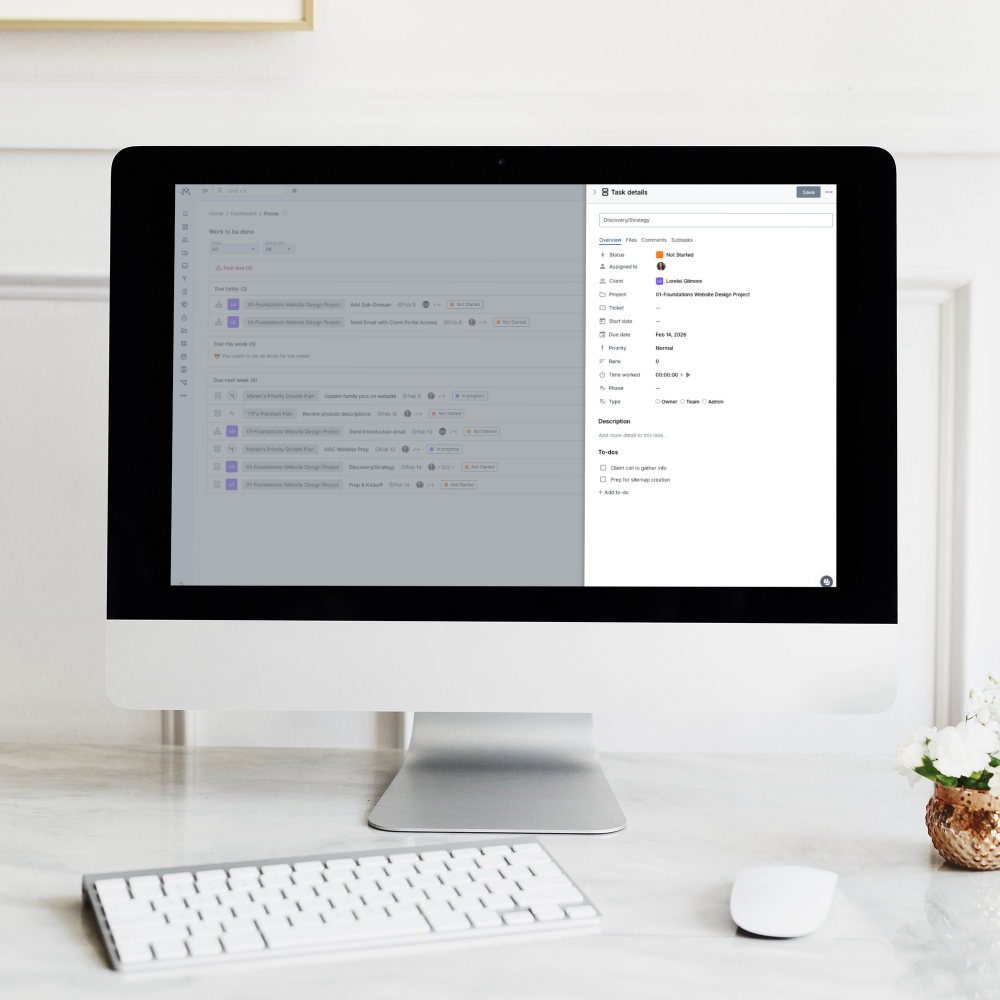
    moxie task details and homescreen mockup

    If you use Moxie CRM, you already know it’s incredible for client management: proposals, contracts, invoicing, and client communication.

    But here’s what Moxie doesn’t do: give you a visual project workspace for planning, easy task management, and content strategy.Ā 

    Look, I love Moxie. I literally have a course teaching people how to set it up from A to Z, and I’m not going anywhere — it’s staying in my business stack. But let’s be real: I’ve heard the stories.

    Project management inside Moxie can range from “a complete mess” to “I spend more time figuring out the system than actually doing the work.”

    I’m here to fix that.

    Get The Web Designer's Project HQ - Launch price $49!

    Buy Now

    Frequently Asked Questions

    Yes! This template is fully customizable. You can:

    • Add, remove, or rename project status stages to match your workflow
    • Create custom task categories and statuses
    • Add new properties to any database (budget tracking, service packages, priority levels, etc.)
    • Build relational connections to your other Notion databases
    • Modify views, filters, and sorting options
    • Adjust the card layout and display properties
    • Create additional views for your specific needs (client-specific views, monthly timelines, etc.)

    The 12 pre-configured status stages are just a starting point. Many users adapt them to their specific process within the first week.

    Absolutely! The template is designed with relational databases, making it easy to connect to:

    • Your existing client/contact database
    • Content calendar or marketing databases
    • Resource libraries or asset management systems
    • Team task databases
    • Financial tracking or invoicing databases
    • Any other custom databases in your workspace

    Just add a new “relation” property and connect the databases. All the existing relations (Projects ↔ Tasks, Projects ↔ Clients, etc.) serve as examples of how to structure these connections.

    Not at all! The template comes with:

    • Sample projects (Rachel & Sally) showing exactly how to use the system with realistic data
    • Quick Start Guide with step-by-step setup instructions
    • Pre-configured views you can use immediately
    • Default page templates for consistent project setup
    • Resource pages explaining buttons, automations, and AI integration

    If you can duplicate a template and edit text, you can use this. The complex relational architecture is already built for you.

    It’s perfect for both! The template is team-ready from day one with:

    • Collaboration features built into Notion
    • Clear structure so anyone can understand what’s happening
    • Client Access properties to control what’s shared with clients
    • Assignment tracking to see who’s working on what
    • Meeting Notes database for team documentation

    Whether you’re solo now or planning to grow, the system scales with you. Onboarding a VA or contractor takes minutes because everything is already organized.

    Great question! Spreadsheets can track projects, but this system gives you:

    • Multiple connected views: See your work as a pipeline board, calendar, timeline, or filtered table—all from the same data
    • Relational connections: Tasks automatically link to their projects; meeting notes connect to both clients and projects
    • Rich content: Embed files, images, meeting notes, and strategy docs right in your project pages
    • Automation potential: Connect with your CRM and other tools via Zapier/Make/n8n
    • Flexible structure: Toggle between different views depending on what you need to see
    • Team collaboration: Real-time updates, comments, and mentions

    Spreadsheets are great for lists. This is a complete project management ecosystem.

    Most users are up and running in under an hour:

    • 15 minutes: Duplicate the template and explore the sample projects
    • 20 minutes: Customize project stages and task statuses for your workflow
    • 15 minutes: Add your first real client project
    • 10 minutes: Set up your preferred views and filters

    The Quick Start Guide walks you through each step. You can start using it immediately with the sample data, then customize as you go.

    Yes! You can:

    1. Start fresh with new projects and let old ones finish in your current system
    2. Manually add your active projects to the template (usually takes 5-10 minutes per project)
    3. Keep your existing project data elsewhere and use this template going forward

    Most users find it easiest to start with new projects while wrapping up existing work in their current system. Within a few weeks, everything is in Notion.

    While it’s optimized for web designers, the system adapts easily to any project-based service business:

    • Branding and graphic design
    • Marketing consultants
    • Copywriters and content creators
    • Virtual assistants
    • Business coaches
    • Photographers and videographers
    • Any service requiring client projects, tasks, and deliverables

    You’ll just customize the project stages and task types to match your specific service delivery process.

    This template is designed as your internal project management system. You can collaborate with your team members inside your Notion workspace and selectively share specific content with clients—but the template itself is for your business use only and should not be redistributed.

    What you CAN share:

    • Individual project pages with specific clients (using Notion’s page sharing settings)
    • Specific tasks marked as client-visible using the Client Access property
    • Read-only views of particular projects when appropriate
    • Exported PDFs or reports generated from your project data

    What you CANNOT share:

    • The template itself (the complete dashboard with all databases and structure)
    • The template with other designers, colleagues, or friends—this is a licensed product for your business only

    For full client portals with contracts, invoicing, and formal proposals, use your CRM. This Notion system is your internal command center for managing the actual work.

    The template includes comprehensive documentation and guides to help you succeed. While one-on-one support isn’t included with the template purchase, the Quick Start Guide and resource pages answer the most common questions.

    If you need personalized help setting up your workspace, consider booking a strategy call or exploring my other services for hands-on implementation support.

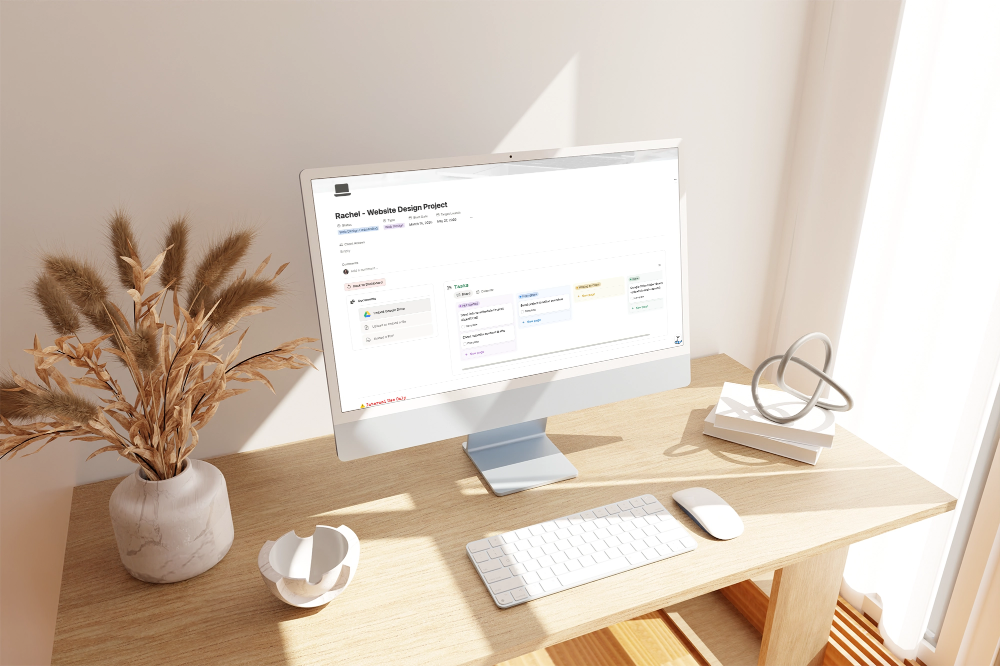
    web project hq task management mockup

    Ready To Start Managing Your Projects Like a Pro?

  • What you get:

    • 4 fully relational databases
    • 12+ pre-configured views
    • Sample projects showing exactly how to use the system
    • Quick Start Guide to get you up and running in under an hour
    • CRM automation guide
    • Notion AI integration guide for faster client communication
    • Team-ready collaboration features

    Investment: $79 $49 through February 17th šŸ’›

    One-time payment. Duplicate and use forever.
    No subscriptions, no monthly fees.

    Get the Web Designer Project HQ
  • Moxie Maven Academy

    It's about having systems that works for you, not against you.
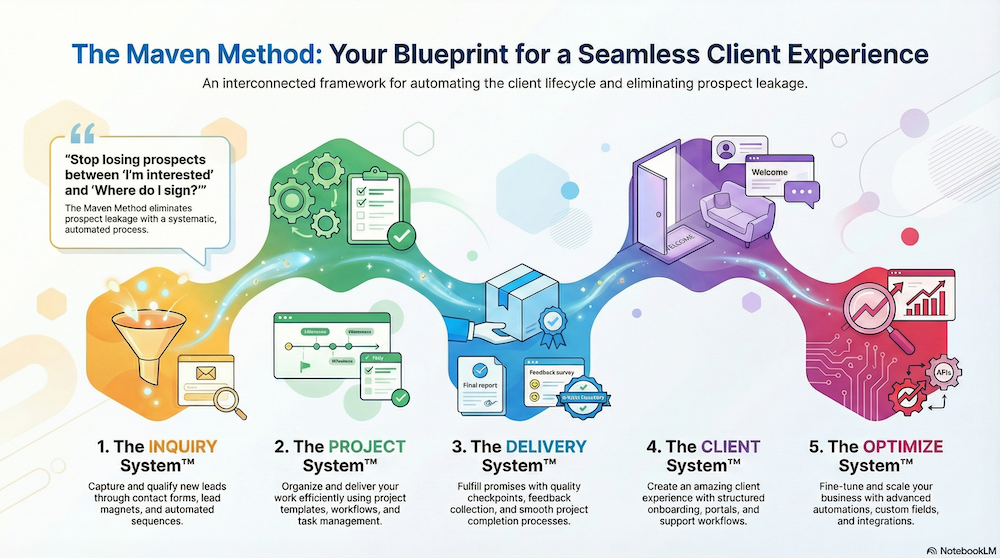
    the maven method your blueprint for a seamless client experienceEnroll Today