You know what feels really good as a service provider? When clients say things like:
“Wow, you’re so organized.”
“I love how seamless this whole process is.”
“I’ve never worked with someone who made everything feel this easy.”
Every time I hear those words, I silently high-five Moxie CRM (and Notion if I’m honest 😆) — because that level of ease and professionalism? It’s not magic. It’s smart automation, client-friendly onboarding, and a clean booking process that does the heavy lifting for me.
Let’s break down how Moxie + Notion helps me create a client experience that’s clear, consistent, and so smooth it practically runs itself.
Automations That Work Even When You’re Not
Let’s start with automation — because if you’re running everything manually, you’re working too hard.
In Moxie, I’ve set up automations for things like:
- When someone fills out an inquiry form: ➝ Moxie sends a branded confirmation email ➝ It adds the lead to the right pipeline ➝ I get a task assigned to review the submission
- When a proposal is accepted: ➝ It sends an invoice ➝ It creates a new project from a template ➝ The client receives their kickoff email
- When a project ends: ➝ Moxie sends a thank-you email ➝ It includes a testimonial request and offboarding form ➝ It adds a task to follow up in 30 days
I don’t have to remember to send things. I don’t have to wonder what’s next. My system knows — and it keeps everything moving.
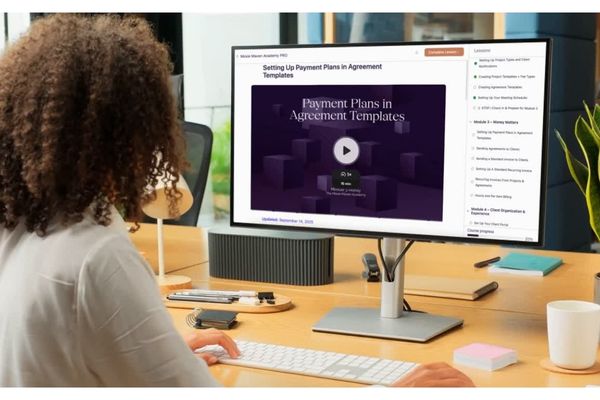
💡 Inside Moxie Maven Academy, I give you the exact automation workflows I use and show you how to build your own (even if you’re not “techy”).
Scheduling That Makes Booking a Breeze
Can we talk about calendar chaos for a second?
Back in the day, scheduling a client call looked like this:
- Me: “What days work for you?”
- Client: “Any day but Monday or Thursday.”
- Me: “Okay, what about Wednesday at 1pm?”
- Client: “I can’t do 1pm. Maybe 11?”
- Me: slowly dissolves into inbox despair
Not anymore.
Now, I use Moxie’s built-in scheduler, and here’s how it works:
- I create different appointment types for discovery calls, kickoff calls, and client consults
- I set my availability (and blackout dates!)
- The client only sees what’s available
- Once they book, it’s added to both of our calendars — and I can attach forms or links to prep materials
A Client Portal That Feels Like a VIP Lounge
Clients don’t always need access to every tool you use — but they do want a clear, simple place to see what’s happening and what they need to do next.
That’s where Moxie + Notion work together beautifully in my system:
- Moxie = the client-facing hub
- Secure, branded portal
- Proposals + agreements
- Invoices + payment history
- Scheduling + forms
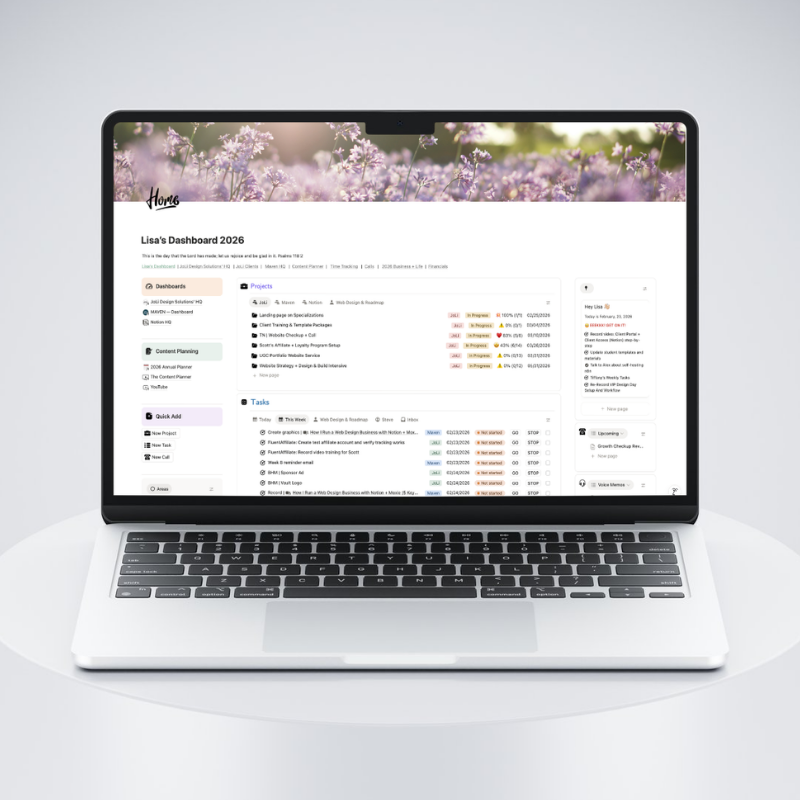
- Notion = the internal “calm + clarity” workspace
- Project planning and oversight
- Notes, strategy, assets, and content workflows
- A simple home base for me so I’m not juggling tabs and sticky notes
- You can also have your client portal in Notion if you prefer
Every client gets their own secure, branded Moxie portal that includes:
- Active project(s) and phase progress
- Assigned tasks or checklists
- Files and documents
- Invoices and payment history
- Agreements and signed proposals
And on my side, Notion keeps the full picture organized: what’s in motion, what’s waiting, what’s coming next, and where every link lives.
Clients love how clear it feels. I love that I can keep the experience polished and “VIP”… without having to hold everything in my head.
🧠 You Deserve a System That Supports You
Let me be real: I used to spend hours each week doing things manually — checking if invoices had been paid, sending reminder emails, following up on contracts, scheduling meetings one-by-one… and trying to remember where I saved the latest doc.
It worked… until I got busier. Then it broke.
Now, I run my workflow with Moxie + Notion:
- Moxie handles the client experience (booking, forms, proposals, invoices, portal access, automated emails)
- Notion handles the “business brain” (plans, processes, project visibility, content, notes, links, and the big-picture view)
And the result looks like this:
- My onboarding process runs on autopilot
- My calendar stays protected and client-ready
- My clients feel supported and informed
- I have fewer “oops I forgot to…” moments
- I always know where things live (because Notion is my organized home base)
- I’m not glued to my inbox or constantly reacting
That kind of consistency builds trust — and trust builds referrals, confidence, and better client relationships.
💬Real Talk: Automations Aren’t Cold — They’re Respectful
Some people resist automation because they think it makes their process less personal. But here’s what I’ve found: automation actually makes my personal touches more impactful.
Because I’m not wasting time retyping emails or chasing down forms, I have more space to:
- Send thoughtful messages during key project moments
- Record Loom videos to explain next steps
- Follow up on final launches with genuine celebration
Automation doesn’t remove the relationship — it removes the repetition. And that’s what gives you room to show up like the high-touch, high-value creative you are.
What We Build Together in Moxie Maven Academy
In the Academy, we focus on building your backend systems to support a premium client experience without you burning out.
Together, we’ll:
✔ Build out your Moxie scheduler for your specific offers
✔ Automate inquiry, booking, onboarding, and offboarding
✔ Customize the client portal for your web design services
✔ Create forms, emails, and reminders that keep your projects on track
✔ Set up a system that works — even when you’re not working
Bottom Line: Make “Effortless” Your Standard
You started your business for freedom — not to be a full-time admin assistant.
With Moxie, your systems can feel seamless and professional — not cobbled together or duct-taped.
Clients will feel it. You’ll feel it. And your business will thank you for it.
🪄 Want a Jumpstart?
Ready to build the full experience for your clients — and yourself?
Join Moxie Maven Academy and let’s make this effortless thing your new normal:
The Moxie Maven Academy
P.S. If you want the internal side of the system to feel just as clean (project planning, processes, notes, links, and a clear home base in Notion), check out Build Your Notion HQ: